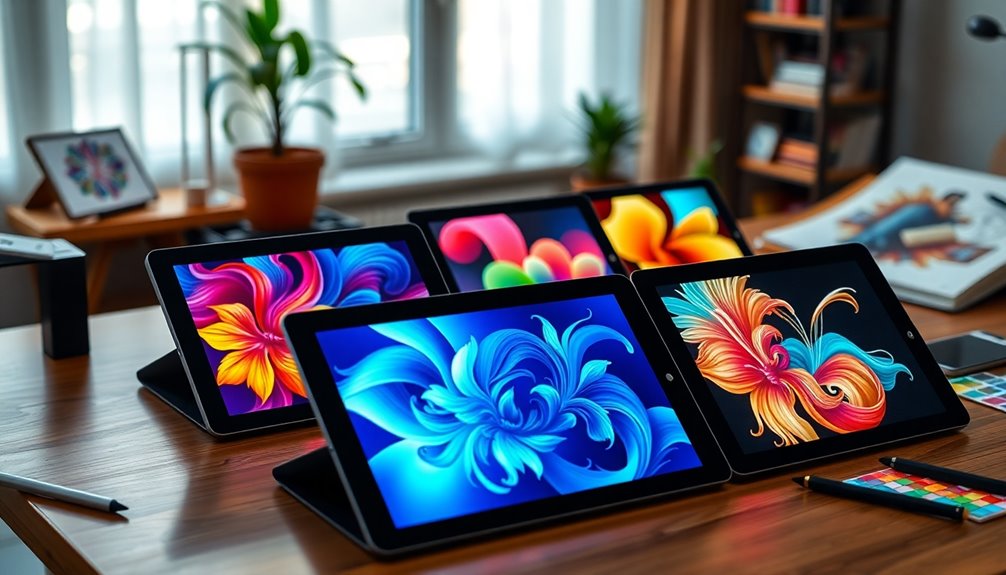

Graphic tablets are essential tools for digital artists, designers, and hobbyists alike. The best options combine responsive styluses, high-resolution screens, and versatile features, but tradeoffs exist between price, screen quality, and usability. The Wacom Intuos Pro stands out for professional-grade performance, while the XPPen Artist 13.3 Pro offers a more affordable, feature-rich experience. For beginners, simple and compact models like the Wacom Intuos Small provide a gentle learning curve. Continue reading for a detailed breakdown of the top choices and what to consider before buying your ideal graphic tablet.

Get your wardrobe favorites delivered free — and shop member deals
- Fast, free delivery on millions of items
- Access to Prime Big Deal Days deals on October 6–7
- Prime Video, Amazon Music and more included
Key Takeaways
- High-pressure sensitivity (up to 16,384 levels) consistently correlates with more precise control, especially for professional work.
- Screen quality, including color accuracy and laminated displays, significantly impacts the digital art experience and should be prioritized for serious artists.
- Size and portability vary widely; compact models are great for beginners and travel, while larger screens benefit detailed work but require more space.
- Stylus technology, especially battery-free and tilt support, enhances usability and reduces maintenance over time.
- Price range reflects features and build quality; investing more typically yields better durability and professional features.


More Details on Our Top Picks
XPPen Artist 13.3 Pro Drawing Tablet with Screen, Adjustable Stand, and Shortcut Keys
This model stands out for combining a compact 13.3-inch display with impressive color accuracy, thanks to an 88% NTSC gamut that supports vibrant visuals. Its support for tilt up to 60° and 16,384 pressure levels makes it ideal for artists seeking natural shading and nuanced control. Compared with the Huion Kamvas Pro 16, it offers a more portable form factor, but at the expense of a slightly smaller screen and potentially more complex setup. Its customizable shortcut keys help streamline workflows, especially for users already familiar with digital art software. However, it requires a connection to a computer, limiting standalone use, and some might find the initial setup a bit daunting.
Pros:- Vivid color reproduction with 88% NTSC gamut
- Supports tilt for realistic shading
- Customizable shortcut keys enhance workflow
- Compatible with major OS and software
Cons:- Needs to be connected to a computer or laptop
- Limited to 13.3-inch screen size, less room for detailed work
- Setup process can be complex for new users
Best for: Professional digital artists and hobbyists who want a versatile, portable drawing tablet with high color fidelity.
Not ideal for: Beginners seeking an all-in-one, standalone device or those preferring a larger screen for detailed work.
- Display Size:13.3 inches
- Color Gamut:88% NTSC (Adobe RGB≧91%,sRGB≧123%)
- Resolution:FHD
- Pressure Levels:16384
- Tilt Support:Yes, up to 60°
- Shortcut Keys:8 customizable keys
Our verdict“A balanced choice for artists needing portability without sacrificing too much control or color accuracy.”
Huion Inspiroy H950P Drawing Tablet, 8×5 inch Digital Art Tablet with Battery-Free Stylus, 8192 Pen Pressure, Tilt, 8 Hot Keys, Compatible with Mac, PC, Android
This tablet excels for artists needing mobility, thanks to its 8×5 inch working area and lightweight design. Its 8192 pressure sensitivity levels provide smooth, natural strokes, comparable to larger models like the Huion Kamvas Pro 16, but it sacrifices some workspace for portability. The inclusion of a battery-free stylus and multi-OS compatibility—including Android—makes it versatile for various workflows. Nonetheless, the limited size may hinder detailed projects, and it requires driver installation, which could be a hurdle for some users. It’s ideal for students, travelers, or those who prefer a compact device that can double as a mouse replacement.
Pros:- Compact, lightweight design for portability
- High pressure sensitivity for natural strokes
- Supports Android and multiple OS
- Battery-free stylus for hassle-free use
Cons:- Limited drawing area may restrict detailed work
- Driver installation needed for full functionality
- Few hot keys for advanced workflows
Best for: Students, travelers, or artists who need a portable, multitasking drawing tablet on the move.
Not ideal for: Artists working on large, detailed projects or those who prefer a wide workspace for complex compositions.
- Size:8×5 inches
- Stylus:Battery-free, 8192 pressure levels
- Hot Keys:8 customizable keys
- Compatibility:Mac, Windows, Linux, Android
- Weight:1.76 lbs
- Thickness:0.3 inches
Our verdict“A great choice for mobile artists who prioritize size and versatility over workspace area.”
Huion Kamvas Pro 16 Drawing Tablet with Screen, 15.6 inch Pen Display, Anti-Glare Glass, Adjustable Stand
The Huion Kamvas Pro 16 offers a sizable 15.6-inch display with rich color accuracy—120% sRGB—making it suitable for professional-grade work. Its anti-glare glass reduces reflections, creating a comfortable workspace comparable to the larger Wacom Cintiq models but at a more accessible price point. The adjustable stand and battery-free stylus with tilt support provide ergonomic flexibility and precise control. However, it requires a computer connection, making it less suitable for users seeking standalone devices. Its price may be a barrier for casual hobbyists, but for serious artists, the combination of size, color fidelity, and comfort justifies the investment.
Pros:- Large 15.6-inch display with vibrant colors
- Anti-glare glass reduces reflections
- Adjustable stand for ergonomic comfort
- Responsive stylus with tilt detection
Cons:- Requires connection to a PC or Mac
- Higher price point for casual users
- Limited standalone functionality
Best for: Professional digital artists and designers who need a large, color-accurate display with ergonomic options.
Not ideal for: Beginners or casual users seeking a portable or standalone drawing solution.
- Screen Size:15.6 inches
- Color Gamut:120% sRGB
- Contrast Ratio:1000:1
- Stand Adjustment:20 to 60 degrees
- Pen Features:Battery-free, tilt recognition
- Connectivity:USB-C, HDMI
Our verdict“Ideal for professionals prioritizing size, color accuracy, and ergonomic comfort in their workflow.”
XPPen Artist 13.3 Pro V2 Drawing Tablet with Screen and Stylus
The XPPen Artist 13.3 Pro V2 combines a vibrant, full-laminated 13.3-inch screen with impressive color coverage—125% sRGB and 107% Adobe RGB—delivering vivid, accurate visuals. Its stylus, with 16,384 pressure levels and minimal parallax, offers precise control, making it suitable for detailed artwork. Compared to the Artist 13.3 Pro, the V2 version enhances display quality and color depth, but it still requires a computer connection, limiting portability. The setup might be tricky for beginners, and driver support could pose challenges on Linux systems. This tablet makes sense for artists who want a professional-quality display in a compact form factor without the expense of larger models.
Pros:- High color accuracy with 125% sRGB coverage
- Responsive stylus with 16,384 pressure levels
- Full-laminated screen reduces glare and parallax
- Adjustable stand for comfort
Cons:- Requires connection to a computer or laptop
- Setup can be complex for beginners
- Limited OS compatibility on Linux
Best for: Artists and hobbyists who want high color accuracy in a portable display tablet.
Not ideal for: Beginners or users needing standalone operation or very large working areas.
- Screen Size:13.3 inches
- Color Gamut:125% sRGB, 107% Adobe RGB
- Resolution:Full HD
- Pen Pressure Levels:16,384
- Viewing Angle:178°
- Included Cables:Full-Featured USB-C
Our verdict“A strong choice for artists demanding professional-quality visuals in a portable, budget-friendly package.”
Wacom Intuos Medium Bluetooth Graphics Drawing Tablet
This Wacom tablet offers a familiar, reliable experience with EMR technology, making it an excellent starting point for beginners. Its medium size strikes a balance between portability and workspace, with four customizable ExpressKeys to streamline common tasks. The wireless Bluetooth connectivity adds convenience, especially for those working in different locations or on multiple devices. While the learning curve can be a factor for new users, it’s supported by a wide range of software and includes training resources, making it suitable for students or casual artists. Compared with larger or more advanced models like the Wacom Intuos Pro, it lacks some professional features but remains a solid, user-friendly option.
Pros:- Wireless Bluetooth for flexible use
- Battery-free pen for natural drawing
- Good software support and training resources
- Moderate size suitable for most desks
Cons:- Limited hotkeys for advanced workflows
- Medium size may not suit large projects
- Learning curve for new users
Best for: Beginners, students, or casual artists seeking a reliable, wireless drawing solution.
Not ideal for: Professional artists needing extensive hotkeys or large working areas for complex projects.
- Size:Medium
- Connectivity:Bluetooth, USB-A
- ExpressKeys:4 customizable
- Compatibility:Chromebook, Mac, Android, Windows
Our verdict“A dependable, user-friendly tablet ideal for beginners and casual artists who value wireless connectivity.”
Huion Inspiroy H640P Drawing Tablet, 6×4 inch Digital Art with Battery-Free Stylus, 8192 Pen Pressure, 6 Hot Keys, Compatible with Mac, PC & Android
The Huion Inspiroy H640P stands out for its compact size and multi-OS compatibility, making it ideal for those who need portability without sacrificing pressure sensitivity. Compared with larger options like the XPPen Deco 01 V3, it offers a smaller drawing area but remains highly responsive with 8192 pressure levels. Its 6 hot keys are customizable, though this may feel limiting for advanced workflows. The absence of iOS support narrows its use for users with Apple devices, but its lightweight design and affordability make it perfect for beginners and professionals who draw on Android or Windows. The tradeoff is that it’s less suitable for extensive, detailed projects requiring more hotkeys or a larger workspace.
Pros:- High pressure sensitivity of 8192 levels for precise control
- Compact, portable design ideal for on-the-go use
- Customizable hotkeys enhance workflow efficiency
- Multi-OS compatibility including Android devices
Cons:- Limited to 6 hotkeys, which may be insufficient for advanced users
- Does not support iOS systems, restricting compatibility
Best for: Beginners or mobile artists who need a portable, multi-OS compatible tablet with high pressure sensitivity
Not ideal for: Artists requiring a larger drawing area or extensive hotkey customization for complex workflows, especially on iOS devices
- Size:6×4 inches
- Pressure Sensitivity:8192 levels
- Hot Keys:6
- Compatibility:Mac, Windows, Linux, Android
- Weight:1.41 lbs
- Thickness:0.3 inch
Our verdict“This pick is best suited for beginners or mobile artists seeking a compact, versatile drawing tablet with high sensitivity.”
XPPen Deco 01 V3 Drawing Tablet with Battery-Free Stylus, 16,384 Pressure Levels, 10×6 Inch, 8 Hotkeys, Compatible with Windows, Mac, Android
The XPPen Deco 01 V3 excels with its large 10×6 inch active area, making it a strong choice for artists who require ample space for detailed work. Its 16,384 pressure levels provide a natural drawing sensation, comparable to the Huion Kamvas 13 but without the screen, which makes it more affordable. The stylus’s tilt support up to 60 degrees adds nuance, suitable for digital painters. While setup can be complex for newcomers, its compatibility with Windows, Mac, Android, and Linux broadens its appeal. The main tradeoff is that it requires a connection to a computer, and some users might find the number of hotkeys limited for intricate workflows, but it offers a versatile, large workspace for serious digital artists.
Pros:- Massive 10×6 inch active drawing area for detailed work
- High pressure sensitivity of 16,384 levels with tilt support
- Compatible across multiple operating systems including Linux
- Lightweight and portable design
Cons:- Requires setting up specific Android app for full functionality
- Limited hotkeys for complex workflows
- Setup may be daunting for beginners unfamiliar with digital tablets
Best for: Intermediate to professional artists seeking a large drawing surface with high-pressure sensitivity and broad OS compatibility
Not ideal for: Beginners or mobile users who prioritize portability over workspace size, or those expecting a standalone device
- Pressure Sensitivity:16,384 levels
- Active Area:10 x 6 inches
- Hotkeys:8
- Connectivity:USB-C, adapters
- Stylus:Battery-free, tilt support
- Dimensions:8 mm thin
Our verdict“This tablet is ideal for artists who need extensive workspace and high sensitivity, especially those comfortable with setup complexity.”
GAOMON PD1161 Drawing Tablet with Screen, 11.6-inch IPS Display, Battery-Free Stylus, 8 Shortcut Keys for Digital Art and Design
The GAOMON PD1161 offers a full 11.6-inch IPS display with vibrant color support, making it a compelling choice for artists who prefer working directly on a screen. Its 16.7 million color depth and 99% sRGB coverage deliver accurate, rich visuals, surpassing non-display tablets like the Huion Inspiroy H640P. The battery-free stylus with 8192 pressure levels and tilt support enhances natural drawing feel. While the included HDMI, USB, and power connections might seem complex, they enable versatile setup options. This model is less portable than compact tablets but provides a more immersive experience for creative professionals or serious hobbyists willing to connect to a computer. Its main tradeoff is that it isn’t standalone, requiring a reliable connection to a host device.
Pros:- Full HD IPS display with vibrant, accurate colors
- Battery-free stylus with tilt and pressure sensitivity
- Large 11.6-inch screen enhances detailed work
- Wide compatibility with software and operating systems
Cons:- Requires connection to a computer; not standalone
- Setup complexity due to multiple connection options
- Less portable compared to smaller tablets
Best for: Digital artists who want an integrated display with vivid colors and precise control, connected to a desktop or laptop
Not ideal for: On-the-go artists or beginners looking for a simple, portable solution without the need for a display
- Display Size:11.6 inches
- Display Type:IPS
- Color Gamut:72% NTSC (100% sRGB)
- Color Depth:16.7 million
- Stylus:Battery-free, pressure & tilt
- Connections:HDMI, USB
Our verdict“This display tablet is best for artists seeking color accuracy and an immersive drawing experience on a reliable desktop setup.”
HUION Kamvas 13 (Gen 3) Drawing Tablet with Screen, 13.3″ Full-Laminated Art Tablet with Anti-Sparkle Canvas Glass 2.0, 99% sRGB, PenTech 4.0, 16384 Pen Pressure, Dual Dial for PC, Mac, Android
The HUION Kamvas 13 (Gen 3) offers a compact 13.3-inch laminated display with anti-sparkle glass, providing a smooth, glare-free drawing surface. Its high color coverage of 99% sRGB and factory calibration ensure color accuracy, ideal for professional artists. The PenTech 4.0 stylus with 16,384 pressure levels and responsive tilt support delivers a natural drawing experience. Dual dials and an adjustable stand enhance workflow customization, making it suitable for detailed illustration and design work. While its price reflects its premium features, it requires a connection to a compatible device, limiting standalone use. This makes it best for artists who value color fidelity and a compact workspace without sacrificing performance.
Pros:- High color accuracy with 99% sRGB coverage and factory calibration
- Responsive PenTech 4.0 stylus with tilt support
- Fully laminated, anti-sparkle glass reduces glare and enhances precision
- Dual dials and adjustable stand improve workflow
Cons:- Requires connection to a computer or compatible device
- Higher cost compared to simpler tablets
- Limited standalone functionality
Best for: Professional artists or designers who need precise color, compact size, and workflow customization on a connected device
Not ideal for: Beginners or users seeking a standalone, portable solution without a dedicated workspace setup
- Display Size:13.3 inches
- Color Coverage:99% sRGB
- Pen Pressure Levels:16384
- Pen Technology:PenTech 4.0
- Additional Features:Dual dial, adjustable stand
- Compatibility:Windows 10+, MacOS, Android with USB3.1
Our verdict“This tablet is ideal for professionals needing accurate colors and customizable workflow features in a compact, connected device.”
XPPen StarG640 Digital Graphic Drawing Tablet 6×4 Inch with Battery-Free Stylus for Mac, Windows, Chromebook
The XPPen StarG640 provides a tiny yet functional drawing surface, perfect for quick sketches, notes, and online classes. Its 6×4 inch working area is comparable to the Huion Inspiroy H640P but offers a slightly more affordable price point. The battery-free stylus ensures seamless use without recharging, and its compatibility with Mac, Windows, and Chromebook makes it versatile for various users. The main limitation is the small size, which can hinder detailed work and may feel cramped for artists used to larger canvases. Its straightforward setup and portability make it well-suited for students or professionals needing a secondary device or for travel. However, demanding artists might find the pressure sensitivity or workspace too limited for serious projects.
Pros:- Compact, lightweight, and portable design
- Battery-free stylus for reliable, uninterrupted use
- Compatible with multiple OS including Chromebook
- Affordable price for entry-level users
Cons:- Limited to 6×4 inch working area, restricting detailed work
- Basic pressure sensitivity may not satisfy advanced artists
- Requires external connection, not standalone
Best for: Students or professionals who need a portable, budget-friendly device for basic drawing or note-taking
Not ideal for: Artists requiring a larger drawing area or advanced pressure sensitivity for complex illustrations
- Size:6×4 inches
- Stylus:Battery-free PN01
- Compatibility:Mac, Windows, Chromebook
- Thickness:2 mm
- Warranty:One-year
Our verdict“This tablet is a practical, affordable option for casual artists or students prioritizing portability over workspace size.”
Wacom Intuos Small Graphics Drawing Tablet with Software and Training
This compact Wacom Intuos Small stands out for its high-precision, battery-free pen technology, making it ideal for newcomers or casual artists who want reliable control without a steep learning curve. Unlike larger professional models like the Wacom Intuos Pro, it offers fewer express keys and a smaller drawing surface, which might limit advanced workflows. Its included software and online training make it accessible for those just starting out, but the small size could become a hindrance for more detailed work. The absence of a built-in display means it relies heavily on your connected device, so it’s less suited for artists seeking a standalone creative tablet. Overall, this pick makes the most sense for beginners or hobbyists who need a straightforward, affordable entry point.
Pros:- High precision with battery-free pen technology
- Compatible with all major creative software
- Includes software and online training resources
Cons:- Limited to small size, restricting detailed work
- No built-in display, relies on connected device
Best for: Beginners, students, or hobbyists seeking an easy-to-use starter tablet
Not ideal for: Professional artists or designers requiring larger workspaces or advanced customization
- Size:Small
- Compatibility:Chromebook, Mac, Android, Windows
- ExpressKeys:4 customizable keys
- Color:Black
- Technology:EMR (Electromagnetic Resonance)
Our verdict“A reliable, compact option perfect for beginners or casual users who prioritize ease of use over workspace size.”
Wacom Intuos Pro Medium Bluetooth Professional Graphics Drawing Tablet with Pro Pen 3 (2025 Edition)
The Wacom Intuos Pro Medium offers a substantial active area and the cutting-edge Pro Pen 3 with 8192 pressure levels, making it a prime choice for professionals who need accuracy and natural control. Compared with the smaller Intuos, this model’s larger workspace and customizable dials enhance productivity, especially for complex projects involving multiple monitors. Its wireless Bluetooth connectivity adds flexibility, though setting it up and customizing options can be time-consuming for those less experienced. The high price reflects its professional-grade features, which may be overkill for hobbyists or casual users. It’s a strong contender for artists and designers who prioritize precision and workspace comfort in their workflow.
Pros:- High-precision Pro Pen 3 with tilt support and 8192 pressure levels
- Wireless Bluetooth for flexible setup
- Large active drawing area suitable for multitasking
Cons:- High price point not suited for casual users
- Setup and customization can be complex
Best for: Professional artists, designers, and illustrators needing a large, precise workspace
Not ideal for: Casual users or beginners who don’t require extensive features or a large active area
- Active Area:11.4 x 8.1 inches / 291 x 206 mm
- Pressure Levels:8192
- Connectivity:USB and Bluetooth
- Included Accessories:Pro Pen 3, Nib set, Nib removal tool, USB cable, adapter
- Dimensions:4mm thickness
Our verdict“A top-tier choice for professionals seeking accuracy and a sizable workspace, despite its premium cost.”
HUION Inspiroy 2 Large Drawing Tablet, 10×6 inch Art Tablet with Scroll Wheel, 8 Customizable Keys
The HUION Inspiroy 2 Large balances portability with functionality, featuring a 10×6 inch working area and PenTech 3.0 for smooth, accurate control. Its 8 customizable keys and scroll wheel streamline workflow, making it suitable for students, hobbyists, or professionals who need a versatile, lightweight device. Compared with the smaller Inspiroy H950P, this model’s larger surface better accommodates detailed work while still being portable. However, it requires connection to a computer or mobile device, which limits independence and makes it less ideal for on-the-go artists who prefer standalone tablets. Its multi-OS support, including Android, broadens its appeal for those working across platforms.
Pros:- Large, precise working area with PenTech 3.0
- Multiple OS compatibility including mobile devices
- Customizable shortcut keys and scroll wheel boost efficiency
Cons:- Requires connection to a host device, not standalone
- OTG connector not compatible with iPhone/iPad
Best for: Artists, students, or mobile professionals wanting a portable, multi-compatible drawing solution
Not ideal for: Artists seeking a standalone device or those needing a built-in display for more intuitive work
- Size:10×6 inch
- Stylus:Battery-Free, H1061P
- Keys:8 customizable shortcut keys
- Scroll Wheel:Yes
- Compatibility:Mac, Windows, Linux, Android
Our verdict“An excellent multi-platform tablet for those needing portability and versatility across devices, with some limitations on independence.”
HUION Inspiroy H1060P Graphics Drawing Tablet with Battery-Free Stylus and 12 Hot Keys
The HUION Inspiroy H1060P offers a generous 10×6.25 inch working area and a battery-free stylus with tilt support, making it suitable for detail-oriented artists and professionals. Its 12 shortcut keys plus 16 soft keys enable extensive customization, streamlining workflows in complex projects. Compared to the Inspiroy 2, it provides a larger surface, but it lacks wireless connectivity—meaning it must be connected via cable, which can limit freedom of movement. Its compatibility across Windows, macOS, Android, and Linux broadens its appeal, although the need for a USB connection may be a drawback for some. This tablet is a strong choice for users who prioritize a large workspace and extensive customization options.
Pros:- Large 10×6.25 inch working area for detailed work
- Battery-free stylus with tilt support for natural drawing
- Numerous customizable keys and soft keys for workflow optimization
Cons:- Requires USB connection, limiting mobility
- OTG connector not compatible with iPhone/iPad
Best for: Professional artists, hobbyists, or students needing a large, versatile drawing surface
Not ideal for: Artists seeking a wireless or standalone device or those with limited desk space
- Working Area:10 x 6.25 inches
- Stylus:Battery-free, PW100
- Pressure Sensitivity:8192 levels
- Tilt Support:±60°
- Keys:12 programmable + 16 soft keys
Our verdict“A highly functional tablet for those who need ample space and extensive shortcut options, with a tradeoff in mobility due to wired connection.”
XPPen Artist 15.6 Pro Tilt Support Graphics Tablet Full-Laminated Red Dial (120% sRGB) 8192 Levels Pressure Sensitive & 8 Shortcut Keys
The XPPen Artist 15.6 Pro combines a vivid 15.6-inch full HD IPS display with high-pressure sensitivity, making it ideal for professionals who want a seamless digital painting experience on a dedicated screen. Its full-laminated technology minimizes glare and enhances clarity, rivaling high-end pen displays like the Huion Kamvas Pro but at a more accessible price. The red dial and customizable shortcut keys facilitate efficient workflows, especially during lengthy projects. Unlike non-display tablets, it offers an intuitive drawing experience, but it requires connection to a PC or Mac, which limits portability. This model is best suited for artists who prefer a visual workspace and detailed color work over portability.
Pros:- Vivid 15.6-inch full HD display with wide color gamut
- Full-laminated IPS technology reduces glare and enhances visual clarity
- High-pressure sensitivity with 8192 levels and tilt support
Cons:- Requires connection to a computer, not standalone
- Limited to digital drawing and editing software
Best for: Digital artists and illustrators who need a dedicated screen for detailed work and color accuracy
Not ideal for: Travelers or those seeking a budget-friendly, portable solution without a display
- Display Size:15.6 inches
- Resolution:1920×1080 Full HD
- Color Gamut:120% sRGB
- Pressure Sensitivity:8192 levels
- Included Accessories:Pen, glove, stand
Our verdict“A compelling display tablet for artists who prioritize visual fidelity and workflow efficiency, with the need for external power and device connection.”

How We Picked
Products were evaluated based on a combination of performance, display quality, stylus responsiveness, build durability, and value for money. We prioritized models with high pressure sensitivity, accurate color reproduction, and user-friendly interfaces. Additional factors included compatibility with various operating systems, ease of setup, and included software. The rankings reflect a balance between professional features and accessibility for different skill levels, aiming to guide buyers toward options that best match their needs and budgets.Factors to Consider When Choosing Graphic Tablets
Choosing the right graphic tablet involves more than just looking at specs. Understanding your specific needs, workspace constraints, and skill level can make a big difference in selecting a device that enhances your creative process. Here are key factors to consider beyond just the hardware features:Screen Size and Resolution
Screen size impacts your comfort and precision—larger displays are better for detailed work but can be less portable. Resolution and color accuracy are vital for professional-grade projects, as they ensure your artwork appears vibrant and true to life. Consider whether you need a full-laminated display, which reduces parallax and provides a more natural drawing experience, especially for detailed illustrations.
Stylus Technology and Sensitivity
The stylus is your primary tool; battery-free pens reduce maintenance and offer consistent performance. Look for high pressure sensitivity (at least 8,192 levels) and tilt recognition, which enable more nuanced strokes. Check if the stylus supports shortcut buttons, erasing, and tilt functions, adding to your workflow efficiency and precision.
Compatibility and Connectivity
Ensure the tablet supports your operating system—Windows, macOS, Android, or Chrome OS—and offers flexible connectivity options like USB-C, Bluetooth, or wireless. Compatibility with your preferred creative software (Photoshop, Illustrator, Clip Studio Paint) is also essential. Some tablets require specific drivers or software updates, so verify these before purchase to avoid frustration.
Build Quality and Durability
Investing in a well-built device minimizes frustrations caused by hardware failures or wear and tear. Metal frames and scratch-resistant glass are signs of higher durability. Consider the weight and ergonomics if you plan to use the tablet for extended periods or on the go. Cheaper models may skimp on materials, impacting longevity and comfort.
Price and Value
Higher-priced tablets often include advanced features like larger screens, better color accuracy, and higher sensitivity, which are critical for professional work. However, for beginners or casual artists, more affordable models can provide sufficient capabilities at a fraction of the cost. Prioritize features that match your current skill level and expected growth to avoid overspending or missing out on essential functions.
Frequently Asked Questions
Should I buy a drawing tablet with a screen or a non-display tablet?
This decision depends on your workflow, budget, and workspace. Screen tablets, like the Huion Kamvas or XP-Pen Artist series, provide a more natural drawing experience, closely mimicking traditional paper and pen. They are ideal for artists who want immediate visual feedback. Non-display tablets, such as the Wacom Intuos series, are more affordable and portable, requiring you to look at a separate monitor. If you’re just starting out or need more mobility, a non-display model makes sense; for professional or detailed work, a screen tablet may offer better precision and workflow integration.
What is the ideal pressure sensitivity for professional digital art?
Most professional artists prefer a pressure sensitivity of at least 8,192 levels, which provides nuanced control over stroke thickness and opacity. Higher levels, like 16,384, can offer even finer detail, especially useful for detailed shading and line work. However, beyond a certain point, increased sensitivity offers diminishing returns. It’s more important to match the pressure sensitivity to your specific style and workflow rather than just chasing the highest number.
Can I use a graphic tablet with my smartphone or tablet device?
Many modern graphic tablets support connectivity with Android devices or even iPads, especially models with Bluetooth or USB-C compatibility. However, software support varies; not all creative apps are optimized for tablet input. For seamless use, verify compatibility with your device’s operating system and ensure your tablet supports necessary features like stylus tilt and pressure sensitivity. For mobile artists, choosing a model explicitly designed for portability and mobile connection can make a significant difference in usability.
Is it worth investing in a high-end graphic tablet with a large display?
For professional artists, illustrators, or designers working on detailed projects, a larger, high-resolution display can significantly improve workflow and accuracy. These models often come with advanced color accuracy and laminated screens, reducing visual discrepancies between your strokes and the final output. However, they are also more expensive and heavier, which could impact portability. If your work demands precision and you have the space and budget, investing in a high-end device can be justified; otherwise, mid-range options may suffice for most users.
What features should a beginner prioritize when choosing their first graphic tablet?
Beginners should focus on ease of use, affordability, and compatibility with common software. A simple, compact model like the Wacom Intuos Small or Huion Inspiroy H640P can provide a gentle learning curve without overwhelming features. Look for models with decent pressure sensitivity (at least 4,096 levels), easy setup, and good driver support. Avoid overly complex devices with many hotkeys or advanced features that might complicate initial learning. As your skills grow, you can consider upgrading to more advanced models with larger screens and higher sensitivity.
Conclusion
For those seeking the best overall experience, the Wacom Intuos Pro remains the top choice, offering professional features and excellent build quality. Budget-conscious buyers or beginners will find the Wacom Intuos Small or Huion Inspiroy H640P to be solid starting points. Artists who prioritize screen quality and color accuracy should consider the Huion Kamvas Pro 16 or XPPen Artist 13.3 Pro. For portable use, compact options like the StarG640 or XP-Pen Artist 15.6 Pro provide flexibility without sacrificing too much functionality. Ultimately, your choice depends on your skill level, workspace, and specific creative needs.
Fall Picks
fall essentials
As an affiliate, we earn on qualifying purchases.