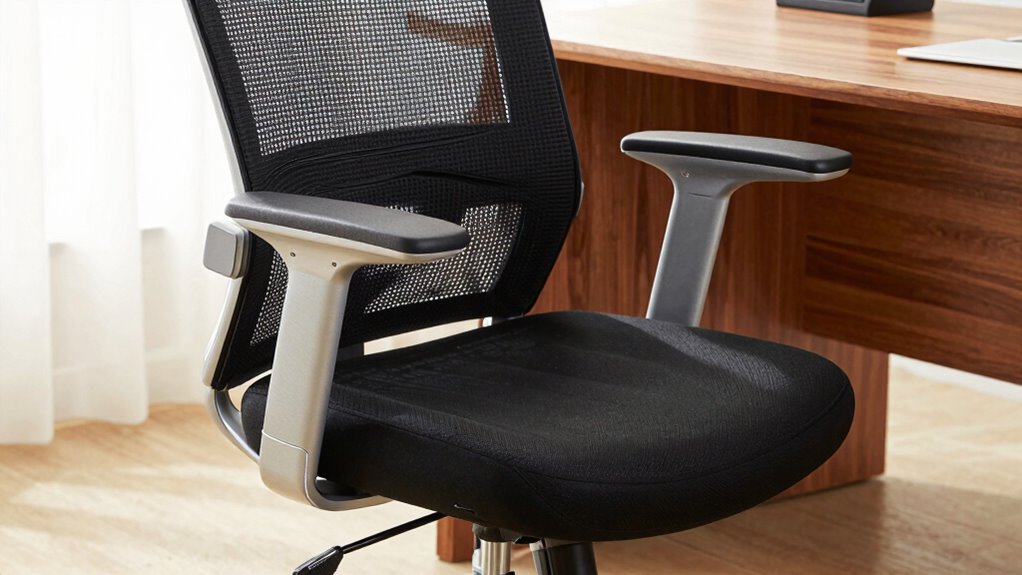

To guarantee comfort and support, adjust your office chair’s seat depth so there’s a small gap between the seat edge and your knees, promoting good circulation. Make sure the lumbar fit supports your lower back’s natural curve, preventing slouching and back pain. Adjust the armrests so your elbows form a 90-degree angle, reducing shoulder strain. Proper setup of these features helps your chair last longer and keeps you comfortable—all the essentials you’ll discover if you explore further.
Open a free Amazon Business account
Business pricing, bulk buying and tax-exempt orders.
As an affiliate, we earn on qualifying purchases.
Key Takeaways
- Proper seat depth ensures full back support while preventing thigh pressure and promoting circulation.
- Adjustable lumbar fit maintains the natural lower back curve, reducing back pain and supporting spinal health.
- Armrests should be adjustable to keep elbows at a 90-degree angle, reducing shoulder strain.
- Durable materials in lumbar support and armrests ensure long-term support and chair longevity.
- Customizable seat depth, lumbar, and armrest settings promote ergonomic posture and long-term comfort.
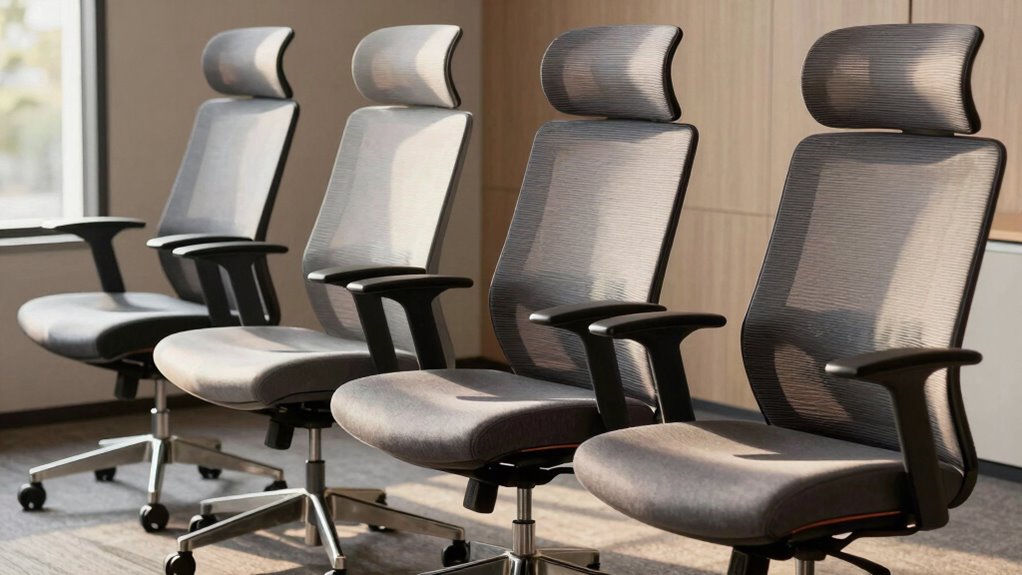
Have you ever wondered how much a good office chair can improve your workday? It’s more than just a seat; it’s about how well the chair fits your body and supports your movements. When you choose a chair with proper seat depth, lumbar fit, and armrest setup, you’re investing in comfort and productivity. These features are essential because they directly impact your posture, reduce fatigue, and prevent long-term injuries. A chair that offers ergonomic support and material durability ensures you stay comfortable during long hours at your desk.
Starting with seat depth, it’s fundamental to find a chair that allows you to sit comfortably with your back fully supported while leaving a slight gap between the edge of the seat and the back of your knees. Too deep, and it can pressure your thighs, causing discomfort; too shallow, and it won’t provide enough support. The right seat depth promotes proper circulation and prevents you from slouching forward. When selecting a chair, look for one with adjustable seat depth, so you can customize it to your body’s proportions. This adjustability enhances ergonomic support, guaranteeing your hips are well-supported and your thighs aren’t compressed. It also contributes to the material durability of the chair, as proper fit reduces uneven wear and tear over time. Ensuring ergonomic support can significantly improve your comfort and long-term health.
Next, the lumbar fit is indispensable for maintaining a healthy spine. Your lower back naturally curves inward, and a chair that offers adjustable lumbar support helps maintain that curve. When the lumbar support aligns with your lumbar region, it cushions your lower back and prevents slouching. If the lumbar support isn’t adjustable or doesn’t fit well, you risk developing back pain or discomfort. An ergonomic chair with good lumbar support encourages upright posture and distributes your weight evenly, which is crucial for long-term comfort. The material used in the lumbar padding should be durable enough to retain its shape, providing consistent support even after extended use. Additionally, material durability ensures the longevity of the lumbar support as well as other components of the chair. Furthermore, choosing a chair with adjustable features allows you to customize support to your specific needs, enhancing overall ergonomic benefits. Proper support alignment is essential for reducing strain and maintaining spinal health during prolonged sitting.
Finally, armrest setup plays a significant role in reducing shoulder strain and promoting proper arm positioning. Adjustable armrests allow you to rest your arms comfortably, reducing tension in your neck and shoulders. You want armrests that can be positioned so your elbows are at a 90-degree angle, with your shoulders relaxed. Properly set armrests support your forearms without elevating your shoulders or causing you to hunch forward. The armrest material should be sturdy and resistant to wear, contributing to the overall material durability of the chair. Proper armrest adjustment and quality material can extend the lifespan of your chair by preventing premature wear and tear.
ergonomic adjustable office chair
As an affiliate, we earn on qualifying purchases.
As an affiliate, we earn on qualifying purchases.
Frequently Asked Questions
How Often Should I Replace My Office Chair?
You should replace your office chair every 5 to 8 years, depending on its durability and how often you use it. Regular wear and tear, discomfort, or decreased support indicate it’s time for a new one. Monitoring the chair’s condition guarantees you maintain proper posture and comfort. Keep in mind that replacement frequency varies with usage and quality; investing in a sturdy chair can extend its lifespan.
Are Ergonomic Features Suitable for Petite Users?
Yes, ergonomic features are suitable for petite users, but it’s important to focus on petite ergonomics for a proper chair fit. Look for chairs with adjustable seat depth, lumbar support, and armrests that can be customized to your size. This guarantees you maintain good posture and comfort throughout the day. Don’t settle for a one-size-fits-all chair; prioritize adjustable options tailored to your petite frame for ideal support.
How Do I Clean and Maintain Office Chair Upholstery?
Imagine your office chair’s upholstery as a cherished keepsake needing gentle attention. To keep it looking fresh, regularly perform upholstery cleaning using a soft brush or vacuum to remove dust. For fabric maintenance, spot clean stains with mild soap and water, avoiding harsh chemicals. Keep your chair in a well-ventilated area, and consider protective covers to preserve its beauty. This routine guarantees your chair remains inviting and comfortable for years to come.
Can I Customize Office Chair Adjustments for Different Users?
Yes, you can customize office chair adjustments for different users. You should focus on adjusting the chair height to match each person’s leg length and make certain their feet rest flat on the floor. Additionally, tweak the armrest positioning to support comfortable arm and shoulder posture. These adjustments help prevent strain and promote comfort, making your chair versatile for various users. Always encourage users to fine-tune their settings for maximum support.
What Are the Signs of a Failing Office Chair?
You’ll notice signs of a failing office chair when it becomes unstable or wobbly, affecting chair stability and your safety. If the padding wears down or becomes uneven, it’s a clear indicator that the chair needs replacement or repair. Additionally, if adjustments no longer improve comfort or support, or if you hear squeaking or creaking sounds, these are signs it’s time to contemplate a new chair for ideal comfort and health.
Conclusion
So, next time you pick an office chair, remember that proper seat depth, lumbar support, and armrest setup aren’t just comfort features—they can actually boost your productivity and reduce discomfort. Some theories suggest that ergonomic adjustments might even improve your focus and mood by minimizing physical strain. So, don’t overlook these details; investing a little time now could pay off in better workdays and lasting well-being. After all, a well-chosen chair is a small change with big benefits.
Fall Picks
fall essentials
As an affiliate, we earn on qualifying purchases.