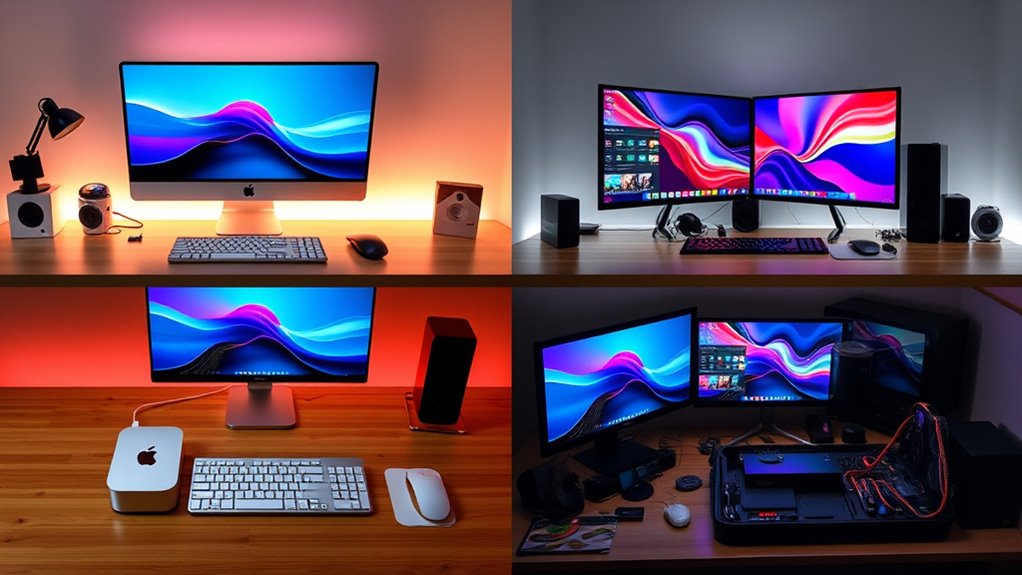

If you’re a creator in 2025, I recommend choosing between the Mac mini (2024) with M4 or M4 Pro chips, based on your workload. For moderate tasks like editing or multitasking, the base M4 model offers great value. If you handle demanding projects like 8K video or 3D rendering, the M4 Pro with higher RAM and GPU power is ideal. Keep in mind storage, display needs, and connectivity—these details will help you find the perfect fit. If you want all the details, continue exploring.
Key Takeaways
- Choose the M4 Pro model with 12-core CPU, 16-core GPU, and up to 64GB RAM for demanding tasks like 4K editing and 3D rendering.
- Opt for the base M4 Mac mini with 10-core CPU and 16GB RAM for general creative workflows and space-saving setups.
- Prioritize internal storage of 1TB or more to handle large media files and avoid external drive bottlenecks.
- Ensure sufficient Thunderbolt and HDMI ports for multiple high-resolution monitors and peripherals.
- Consider budget, workflow complexity, and future needs when selecting between standard and Pro configurations.
Apple Mac mini Desktop Computer with M4 Chip (2024)


The Apple Mac mini with the M4 chip (2024) stands out as an ideal choice for creators who need a compact yet powerful desktop. Its small five-by-five-inch design fits easily next to any monitor, making it perfect for space-constrained setups. Despite its size, it delivers impressive performance with a 10-core CPU, 10-core GPU, and 24GB of unified memory. It supports multiple high-resolution displays and hardware-accelerated media formats, ensuring smooth editing and creative workflows. Quiet, cool-running, and lightweight at just 1.5 pounds, it combines portability with professional power—ideal for artists, designers, and content creators alike.
Best For: creative professionals, artists, and content creators seeking a compact, powerful desktop for multitasking, editing, and multimedia workflows.
Pros:
- Compact and sleek design fits seamlessly into small workspaces
- Impressive performance with M4 chip, supporting multiple high-res displays and hardware-accelerated media formats
- Quiet operation and cooler temperature ensures minimal noise and energy efficiency
Cons:
- Limited internal storage options may require external drives for large data needs
- The 24GB RAM, while ample for most tasks, might be restrictive for very heavy workloads
- Only two USB-C ports on the front could be limiting for users with multiple peripherals
Apple 2024 Mac mini Desktop Computer with M4 Chip
If you’re a creator seeking a compact yet powerful desktop, the Apple 2024 Mac mini with M4 chip stands out thanks to its impressive performance in a tiny package. Its five-by-five-inch design fits easily next to your monitor, making it ideal for space-constrained setups. Powered by the 10-core M4 chip, it delivers fast CPU and GPU performance, plus up to 32GB of unified memory. With multiple ports—including Thunderbolt 4, HDMI, and USB-C—it supports up to three high-resolution displays. Its hardware-accelerated media engines handle complex video workflows effortlessly, making this mini a versatile, space-saving powerhouse for creative professionals.
Best For: creative professionals and space-conscious users seeking a compact yet powerful desktop with advanced video and multitasking capabilities.
Pros:
- Compact design fits easily in limited space and offers excellent portability.
- Powerful M4 chip with 10-core CPU and GPU, supporting demanding creative workflows.
- Supports up to three high-resolution displays, ideal for multitasking and media production.
Cons:
- Limited maximum storage of 2TB may not suffice for large media libraries.
- Few front-facing ports could require additional adapters for certain peripherals.
- May be overpowered for basic tasks, leading to unnecessary expenditure for casual users.
Apple 2024 Mac mini Desktop Computer with M4 Pro chip
For creators seeking a compact yet powerful desktop, the Apple 2024 Mac mini with the M4 Pro chip stands out as an ideal choice. Its small, sleek design measures just five by five inches, fitting easily next to any monitor. Powered by a 12-core CPU, 16-core GPU, and up to 64GB of unified memory, it handles demanding tasks like video editing and 3D rendering effortlessly. The hardware-accelerated media engines and support for multiple high-resolution displays make it perfect for creative workflows. Quiet, cool-running, and versatile with extensive connectivity options, this Mac mini offers professional-level performance in a space-saving form factor.
Best For: creators, professionals, and power users seeking a compact, high-performance desktop for demanding tasks like video editing, 3D rendering, and digital content creation.
Pros:
- Compact size with sleek, space-saving design perfect for small spaces or minimalist setups
- Powerful M4 Pro chip with high-core CPU and GPU options supports intensive workflows
- Extensive connectivity including multiple Thunderbolt 5 ports, HDMI, Ethernet, and support for multiple high-resolution displays
Cons:
- 512GB SSD may require external storage for large projects or extensive media libraries
- Slightly higher price point relative to traditional mini PCs with comparable specs
- Limited upgradeability post-purchase due to integrated components
Apple 2024 Mac mini Desktop Computer with M4 Chip
Designed for creators who need powerful performance in a compact form, the Apple 2024 Mac mini with M4 chip packs a punch despite its small size. Measuring just five by five inches and weighing only 1.5 pounds, it fits easily next to any monitor. It features the M4 chip with a 10-core CPU, 10-core GPU, and 16-core Neural Engine, offering hardware-accelerated ray tracing and high-bandwidth memory. With multiple ports—including Thunderbolt, HDMI, and Gigabit Ethernet—it supports up to three displays and fast data transfer. Its sleek design and robust performance make it an excellent choice for creative professionals with limited space.
Best For: creative professionals and users needing a compact, powerful desktop with advanced graphics and multiple display support.
Pros:
- Compact and lightweight design ideal for space-constrained environments
- Powerful M4 chip with 10-core CPU and GPU delivers exceptional performance
- Supports up to three high-resolution displays for versatile workspace setup
Cons:
- Limited internal storage options starting at 512GB, which may require external solutions for large files
- No dedicated GPU options, which could impact high-end gaming or intensive 3D rendering
- Premium price point may be a consideration for budget-conscious users
Factors to Consider When Choosing Mac Mini Configurations for Creators
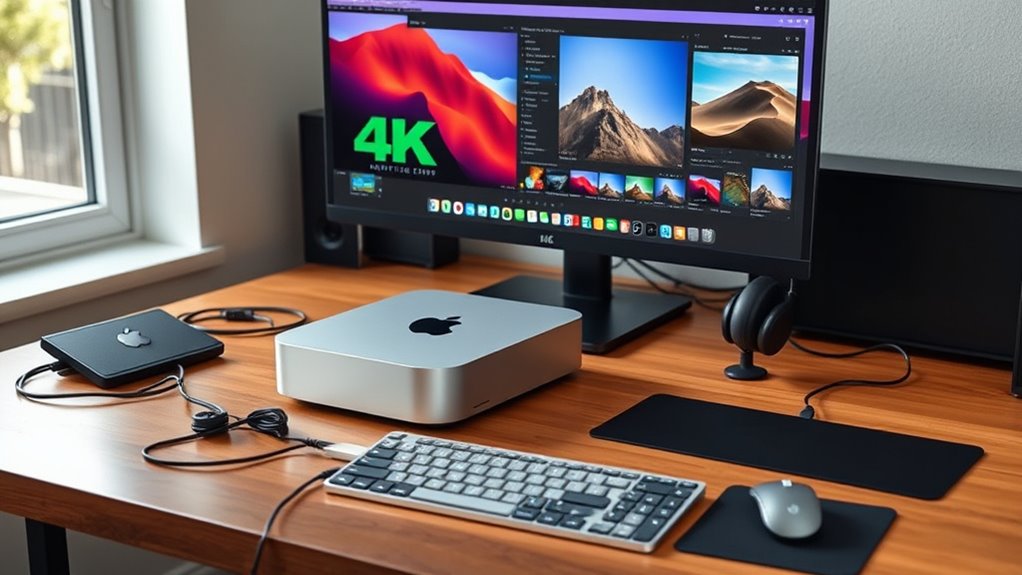
When choosing the right Mac Mini for creators, I consider several key factors to guarantee it meets my needs. I look at processing power, memory options, storage capacity, display compatibility, and connectivity features to make the best choice. These elements help me balance performance and future-proof my setup effectively.
Processing Power Needs
Choosing the right processing power is essential for creators tackling demanding tasks like 4K or 8K video editing, 3D rendering, or complex simulations. A multi-core CPU, such as 12-core or 14-core options, can drastically cut down rendering and export times, making workflows more efficient. It also guarantees smoother multitasking when running resource-heavy applications simultaneously. Upgrading to a higher-core processor can future-proof your setup, allowing it to handle upcoming software updates and larger project files without slowing down. However, if your work mainly involves less intensive tasks like photo editing or basic content creation, a standard 10-core CPU might suffice and save you money. Assess your current and anticipated workload carefully to choose the processing power that best fits your needs.
Memory Capacity Options
Since memory capacity directly impacts how smoothly your Mac Mini handles demanding tasks, it’s vital to select the right amount of RAM from the start. For creators working with large files or multitasking across several applications, opting for 24GB or 32GB of RAM can make a significant difference. Upgrading from the base 16GB to higher capacities reduces lag and speeds up processing, especially during intensive tasks like video editing or 3D rendering. Because external RAM upgrades aren’t possible with Mac Minis, choosing the appropriate memory at purchase is key for long-term performance. If you’re dealing with high-resolution media or running multiple demanding programs simultaneously, going for the maximum available memory ensures your workflow remains smooth and future-proof.
Storage Requirements
For creators working with large media files, selecting the right internal storage is essential to maintain a smooth workflow. If you handle high-resolution videos, raw images, or multiple projects simultaneously, opting for 1TB or 2TB SSDs helps avoid constant external drive reliance. The base 256GB storage often becomes limiting quickly, leading to bottlenecks and workflow interruptions. Upgrading internal storage at purchase can reduce latency and improve data transfer speeds, making your editing and rendering processes more efficient. While external SSDs and cloud storage offer flexible solutions, they can add clutter and complexity over time. Consider your long-term needs carefully, as augmenting internal storage later can be costly. Investing in larger internal SSDs upfront ensures smoother performance and minimizes workflow disruptions.
Display Compatibility
When selecting a Mac mini for creative work, guaranteeing display compatibility is essential for delivering the best visual experience. I check that the Mac mini supports your display’s resolution and refresh rate, whether it’s 6K at 60Hz or 8K at 60Hz, to match your workflow needs. It’s fundamental to verify the availability of enough Thunderbolt 4 or USB-C ports to connect multiple high-resolution monitors without extra adapters. I also confirm that the HDMI port supports HDR formats like Dolby Vision and HDR10+ to utilize your display’s full capabilities. Additionally, I verify compatibility with DisplayPort 1.4 or 2.1 over USB-C, which is critical for high-resolution monitors. Finally, I review macOS output limits to guarantee your display’s resolution and features are fully supported for maximum visuals.
Connectivity Features
Choosing the right Mac mini configuration means paying close attention to its connectivity features, as these determine how smoothly your creative setup runs. I look for enough Thunderbolt 4 or Thunderbolt 5 ports to support multiple high-resolution displays, guaranteeing my workspace remains efficient. HDMI ports that support HDR and high refresh rates are vital for seamless media playback and editing. USB-C with USB 3 or USB 4 allows me to connect external drives, audio interfaces, or cameras without hassle. Fast Ethernet options like 10Gb Ethernet are essential for quick file transfers and reliable internet, especially when working with large files or cloud services. Additionally, Wi-Fi 6E and Bluetooth 5.3 ensure my wireless peripherals and accessories stay connected smoothly, minimizing lag and interruptions during intensive creative tasks.
Budget Considerations
Balancing your creative needs with your budget is essential when selecting a Mac mini configuration. Higher-end models with more RAM and larger storage options cost considerably more, which can quickly inflate your budget. Choosing the base model with 16GB of memory and 512GB SSD offers a more affordable option, but it might limit your ability to handle intensive tasks in the future. Upgrading to 24GB or 32GB of unified memory improves performance but adds to the initial cost. Storage varies from 256GB to 2TB, so evaluating your storage needs upfront helps you avoid overspending. Additionally, external drives or cloud storage can be cost-effective ways to expand space without upgrading internal SSDs, giving you flexibility without breaking the bank.
Frequently Asked Questions
How Does the M4 Pro Chip Differ From the Standard M4 in Performance?
The M4 Pro chip offers markedly better performance than the standard M4, especially for demanding tasks. I’ve noticed faster rendering, smoother multitasking, and improved graphics capabilities with the Pro version. It has more CPU and GPU cores, which translates into better efficiency for creative workflows like video editing, 3D rendering, and software development. If you deal with heavy workloads, the M4 Pro is definitely worth considering for a boost in speed and power.
Can the Mac Mini Handle Real-Time 4K or 8K Video Editing Smoothly?
Yes, the Mac Mini can handle real-time 4K and 8K video editing smoothly, especially with the M4 Pro chip and ample RAM. I’ve experienced seamless playback and rendering, even with complex projects. The powerful GPU and optimized hardware make multitasking efficient, so you won’t face lag or dropped frames. Just guarantee you have a fast storage drive and sufficient memory, and your editing workflow will be smooth as butter.
What Are the Best External Peripherals for Optimizing a Creator’s Workflow?
The best external peripherals for optimizing my workflow include a high-resolution monitor for detailed editing, a fast external SSD for quick file transfers, and a reliable external GPU if I need extra power. I also use a quality keyboard and mouse for comfort during long sessions, along with a calibrated colorimeter to guarantee accurate colors. These tools help me stay efficient and produce professional-quality work consistently.
How Upgradeable Is the Mac Mini for Future Hardware Expansions?
The Mac Mini isn’t exactly a DIY dream, but it does offer some room for gentle upgrades. You can typically improve the RAM and storage later on, which helps extend its life. However, other components like the CPU and GPU are sealed tight, so if you’re envisioning future hardware leaps, it’s best to choose a model with the specs you’ll need down the road. Think of it as a solid foundation with just enough flexibility.
Which Mac Mini Configurations Are Most Cost-Effective for Beginners?
If you’re a beginner, I’d recommend starting with the base Mac Mini. It’s the most cost-effective option and still offers solid performance for everyday tasks like browsing, office work, and light creative projects. You can always upgrade later if needed. The base model’s price makes it a great entry point without sacrificing essential features, and it provides good value as you learn and grow your skills.
Conclusion
So, whether you’re dreaming of a Mac mini that handles your creative chaos or one that just barely keeps up with your genius, remember—your workflow’s a wild beast. Picking the right config is like choosing a saddle for the rodeo. Don’t settle for a squeaky, rusty one—go for the sturdy, powerful beast that’ll tame your creative storm. After all, you don’t want your Mac mini to be the weakest link in your chain of brilliance.