To determine how much footage you actually need on your NVR, consider your camera count, resolution, and recording settings like continuous or motion-based recording. Higher resolution and longer retention increase storage needs. Using compression codecs like H.265 helps save space without sacrificing quality. Regularly review your footage duration, storage capacity, and backup options to optimize your setup. Keep these factors in mind, and you’ll find it easier to plan your storage effectively as you explore further.
Key Takeaways
- Determine camera resolution, count, and recording mode to estimate initial storage requirements accurately.
- Set appropriate retention periods based on security needs to avoid unnecessary storage use.
- Use compression codecs like H.265 to maximize storage efficiency without sacrificing quality.
- Regularly monitor storage utilization and implement scheduled footage deletion to prevent capacity issues.
- Consider offsite or cloud backups for long-term retention and added security.
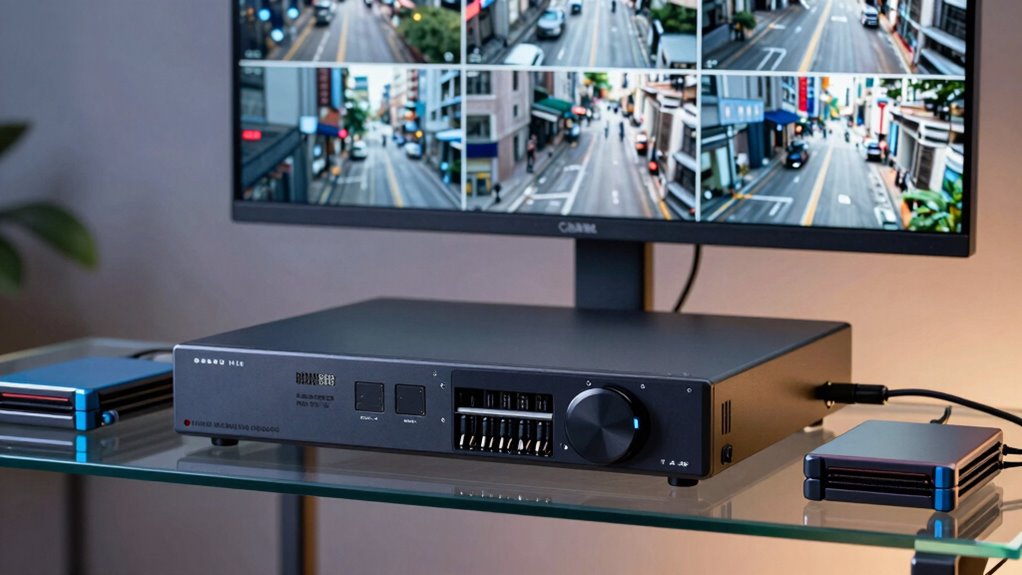
When managing security footage from your Network Video Recorder (NVR), knowing how much storage space you need is essential to guarantee your footage is preserved without running out of space. To do this effectively, you must consider several factors, including the volume of footage, the quality of recordings, and retention policies. If you’re concerned about losing data, implementing a cloud backup strategy can provide an extra layer of security. Cloud backup allows you to store copies of your footage offsite, safeguarding against hardware failures, theft, or damage. This way, even if your NVR’s local storage fills up or gets compromised, your critical footage remains accessible. Additionally, when transmitting footage to the cloud, data encryption becomes indispensable. Encrypting your data ensures that unauthorized individuals cannot access sensitive recordings during upload or storage, maintaining privacy and compliance with security standards.
The amount of footage you need to store depends heavily on your camera count, recording settings, and how long you plan to keep recordings. Higher resolution cameras generate larger files, increasing storage requirements. If your cameras record in 4K, for example, you’ll need considerably more space than with standard-definition footage. To optimize storage, consider adjusting recording modes—continuous recording consumes the most space, while motion-activated recording can save you a substantial amount of storage by only saving footage when movement is detected. Understanding storage requirements can help you better plan your system’s capacity and avoid unexpected shortages. Properly assessing your video quality needs ensures you don’t allocate unnecessary storage for footage that doesn’t require high resolution. Moreover, understanding the impact of video compression codecs** like H.265 can significantly reduce file sizes, maximizing available space. Implementing storage management** strategies, such as scheduled purging of old footage, can further streamline your system’s efficiency. Regularly monitoring your storage utilization can also prevent surprises and help you adjust your settings proactively.
Retention policies also play an essential role. If you’re only required to keep footage for a week, your storage needs will be much less than if you need to retain footage for 30 days or more. Regularly reviewing and deleting outdated footage helps manage storage efficiently. To further optimize your storage, many NVR systems support compression codecs like H.265, which reduce file sizes without compromising image quality. Combining this with a strategic retention plan allows you to make the most of your available space. Additionally, considering offsite storage options can provide peace of mind, especially for long-term archiving or critical footage retention.
Ultimately, understanding your footage needs involves balancing quality, retention time, and storage capacity. Incorporating cloud backup solutions ensures your footage remains protected even if local storage is exhausted, while data encryption guarantees that your sensitive data stays secure during transfer and storage. By carefully evaluating these factors, you can determine the right amount of storage to meet your security requirements without unnecessary costs or risks.
NVR storage capacity hard drives
As an affiliate, we earn on qualifying purchases.
As an affiliate, we earn on qualifying purchases.
Frequently Asked Questions
How Does Video Resolution Affect Storage Requirements?
Video resolution greatly impacts storage requirements because higher resolutions produce larger files. When you increase resolution, the footage contains more detail, which requires more storage space. Video compression helps reduce file sizes, but resolution scaling still influences how much space you need. As you select higher resolutions, expect your storage needs to grow, even with compression, so plan accordingly to guarantee your NVR can handle the footage volume.
Can I Expand My NVR Storage Later?
Absolutely, you can expand your NVR storage later—think of it like adding new shelves to your growing closet. Just make sure your NVR supports additional drives and check compatibility. When considering expansion, keep cloud integration in mind for remote backups, and watch out for power consumption, which may increase with more drives. Planning ahead helps keep your system running smoothly without draining your energy or budget.
What’s the Best Way to Back up Footage?
The best way to back up footage is to use a combination of local and cloud backup solutions. You should implement redundancy strategies like storing copies on external drives or network-attached storage (NAS), and regularly upload critical footage to a secure cloud backup service. This approach guarantees your footage remains safe even if your NVR faces hardware failure or theft, giving you peace of mind.
How Long Should I Retain Recorded Footage?
You should retain recorded footage for at least 30 days, but it depends on your needs. Video compression helps reduce file sizes, allowing you to store more footage longer. Using cloud storage can extend your retention period without worrying about local disk space. Regularly review your footage and adjust retention based on security risks or legal requirements. This way, you balance storage costs with having enough footage when you need it.
Do Different Camera Types Influence Storage Needs?
Back in the day, you’d need a larger vault for different treasures, just like diverse camera types influence storage needs. With varying camera placement and features like motion detection, some cameras generate higher-quality footage, taking up more space. Hence, your storage requirements depend on your camera types, their placement, and how often they detect motion. Opt for efficient data management to avoid running out of space quickly.
Conclusion
Ultimately, understanding how much footage you need from your NVR storage depends on your specific security goals. Think of it like a camera’s memory bank—more storage means longer recordings, but it requires more space. By analyzing your footage needs and considering factors like resolution and recording frequency, you can find a balance. Visualize it as filling a tank: too small, and you miss details; too large, and you waste space. Choose wisely for peak security.